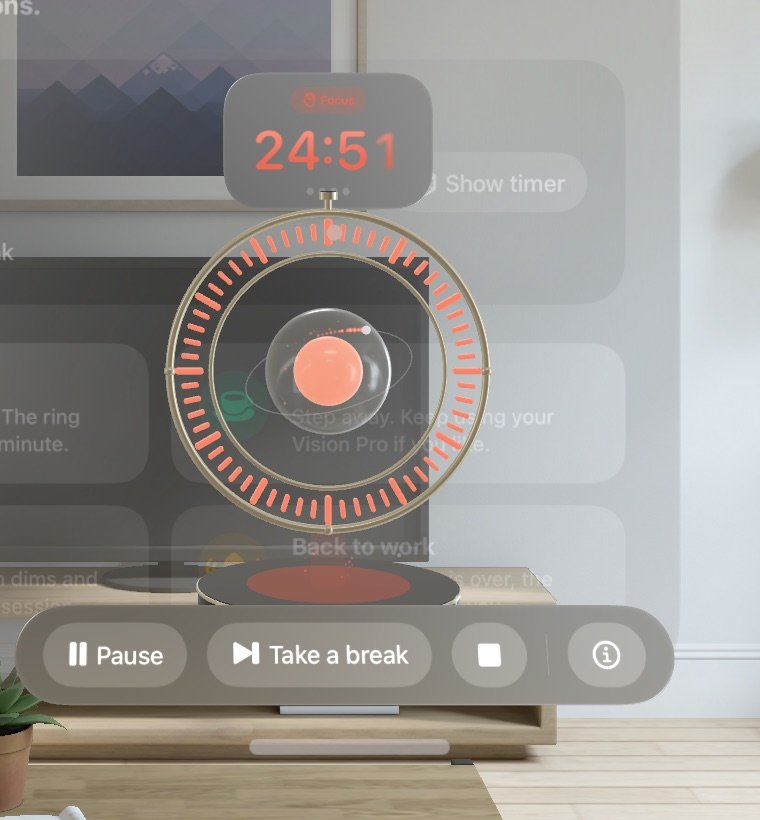
01 · Focus
Watch the ring empty
Sixty light segments count down your block. The current minute pulses and shrinks, and an electron keeps circling the glowing core.
A Pomodoro timer that lives on your desk as a glowing 3D orbit. It empties minute by minute while you work, dims your room into a guided breathing space when it's time to rest, and shakes when the break is over.
Made for visionOS · works in the Shared Space, next to your other apps
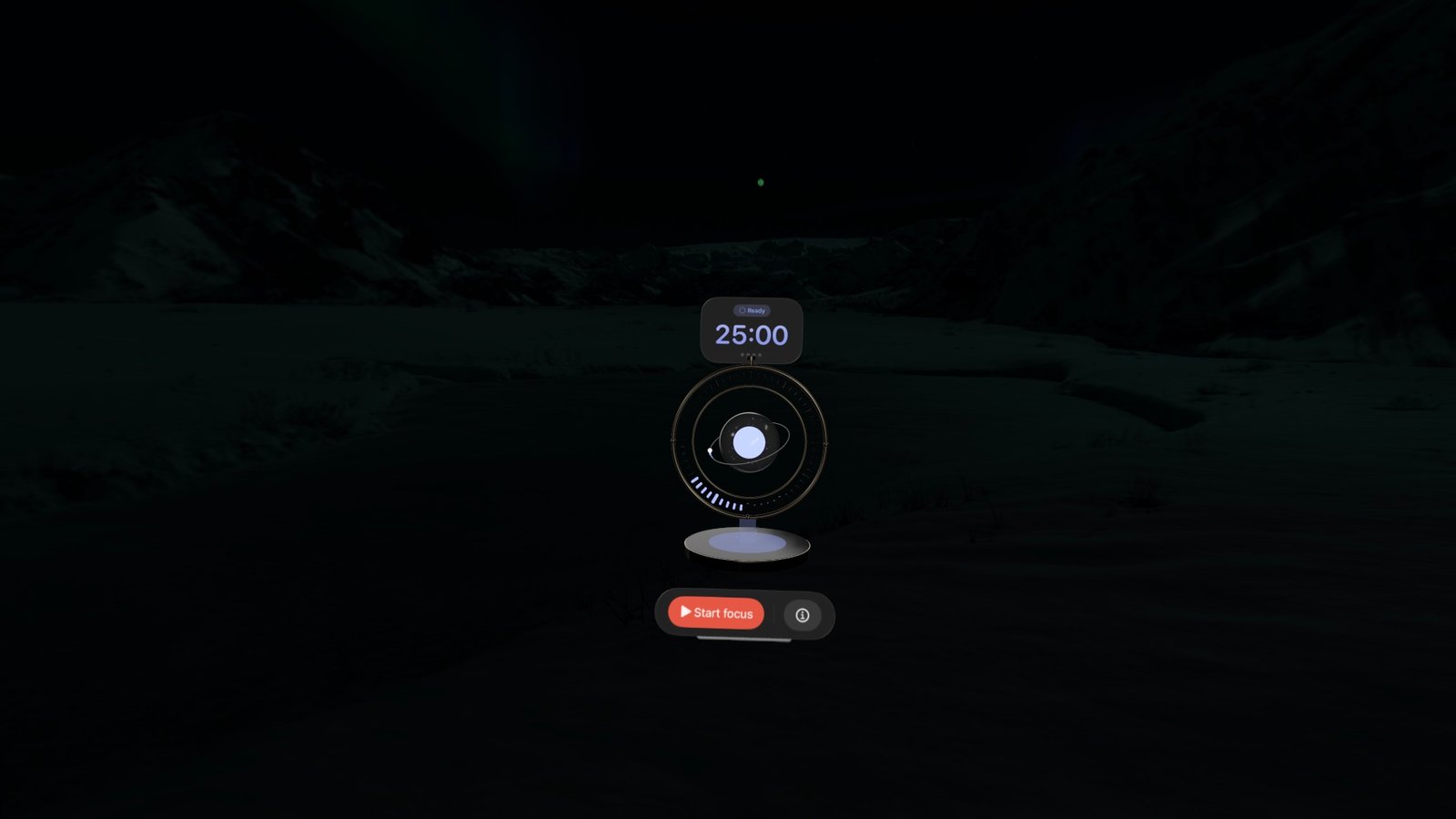
Pick how long you work and how long you rest. The orbit takes care of the rest, and changes color so you always know where you are at a glance.
Sixty light segments count down your block. The current minute pulses and shrinks, and an electron keeps circling the glowing core.
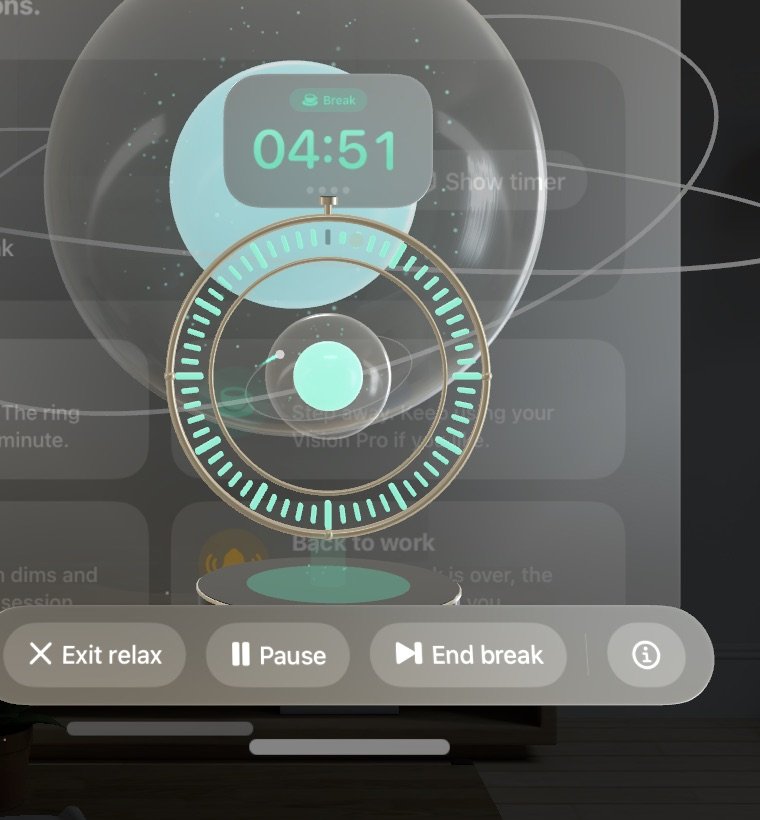
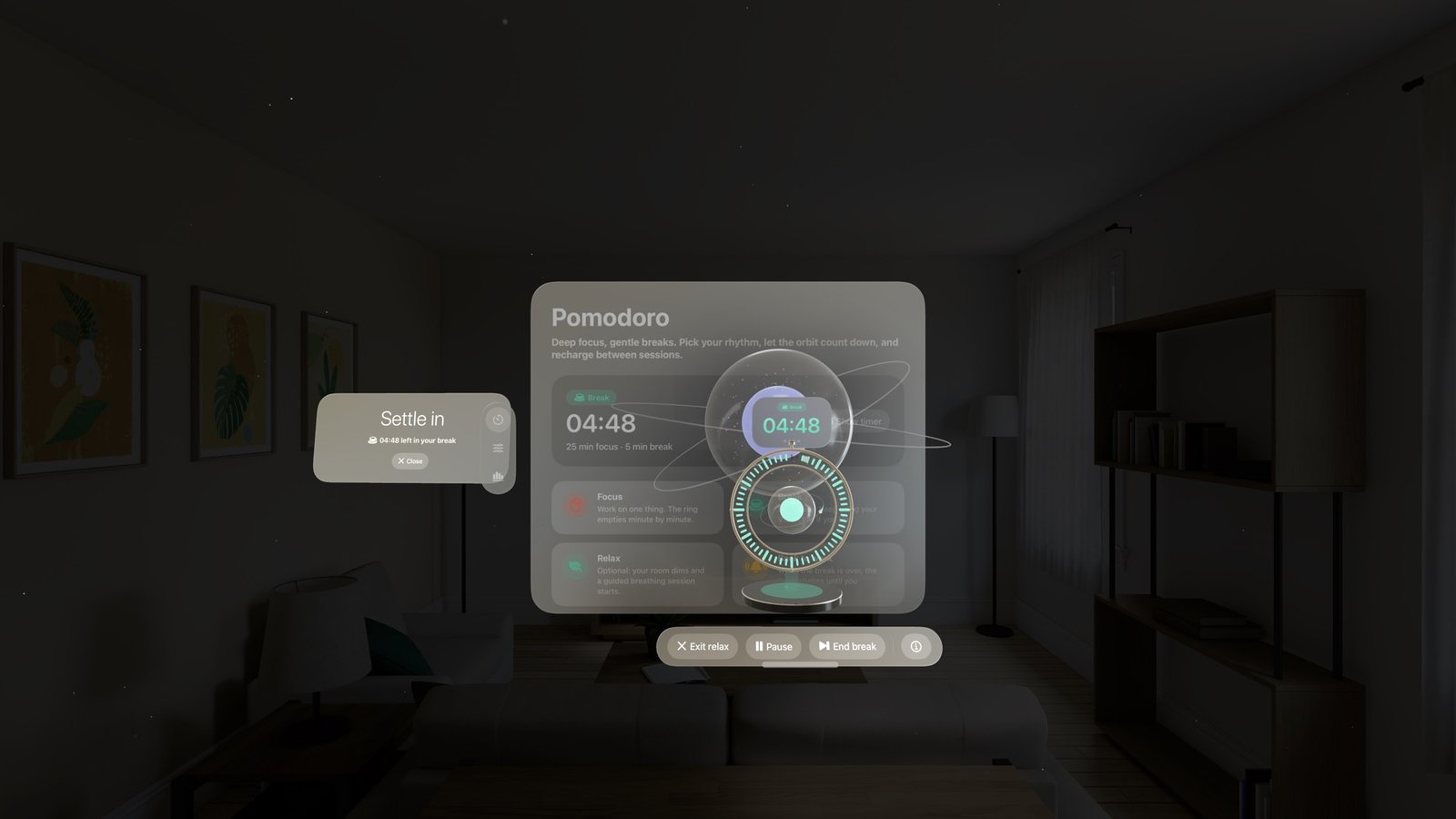
The orbit turns mint. Keep using your Vision Pro as you like, or let Relax mode dim the room and guide your breathing.
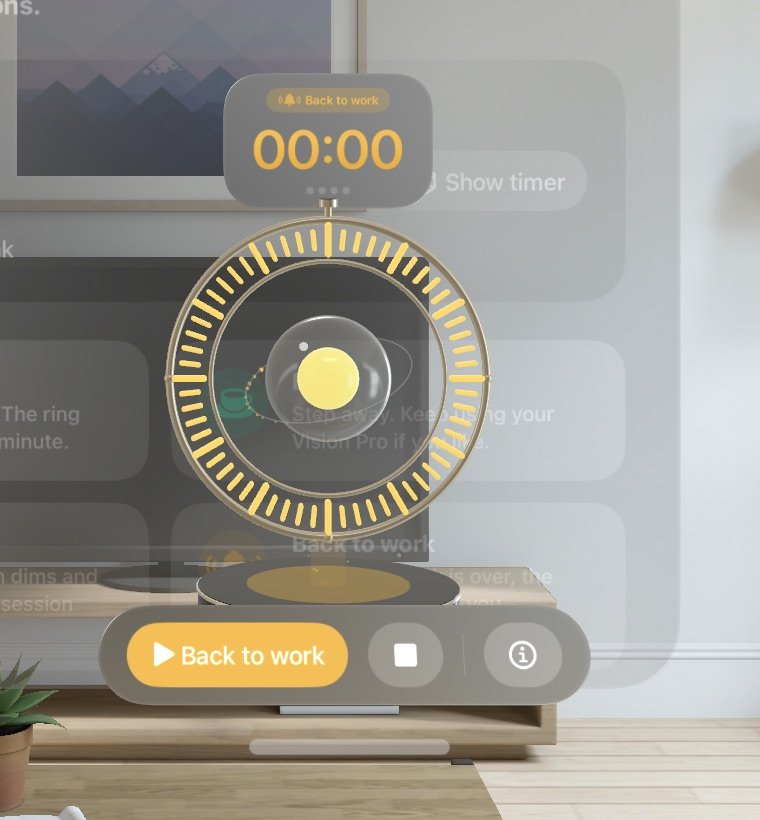
When the break is over, the timer glows amber and shakes, with a soft chime, until you tap Back to work.
Turn on Relax mode and every break opens a calm space around you. It's optional, and you can leave it anytime.
Everything you need for a good Pomodoro habit, and nothing that gets in the way.
Start from a preset or set your own focus and break lengths, from 1 to 90 minutes of work and 1 to 30 minutes of rest.
Look at the glass sphere and pinch to start, pause or resume. No menus needed.
Sessions and focus minutes today, your daily streak, relaxed minutes and the last 7 days.
Soft bell tones for each moment, synthesized on device. Turn them off anytime.
Snap the volume onto a table and the ceramic pedestal rests right on the real surface. It turns to face you as you move around it.
No account, no tracking, no network. Your sessions and stats stay on your Vision Pro.
You work on one task for a fixed block (traditionally 25 minutes), then take a short break (usually 5 minutes). Repeating that rhythm keeps you focused without burning out.
Yes. Relax mode is optional. With it off, the break simply runs on the timer while you do whatever you like. With it on, you can close the relax space at any moment and the break keeps counting.
The orbit turns amber, shakes and plays a gentle chime until you tap Back to work. The next focus block only starts when you're ready.
It dims your surroundings strongly while keeping them visible, so you stay aware of your space. Everything returns to normal when the break ends or when you close it.
Pomodoro Vision is built for Apple Vision Pro and requires a recent version of visionOS.

Pomodoro Vision is coming soon to the App Store for Apple Vision Pro.
Coming soon on the App StorePayment and downloads are handled by Apple on the App Store.